
AI-Powered Data Report Agent
From Excel to 20+ Pages of
McKinsey-Level Insights — In One Click.



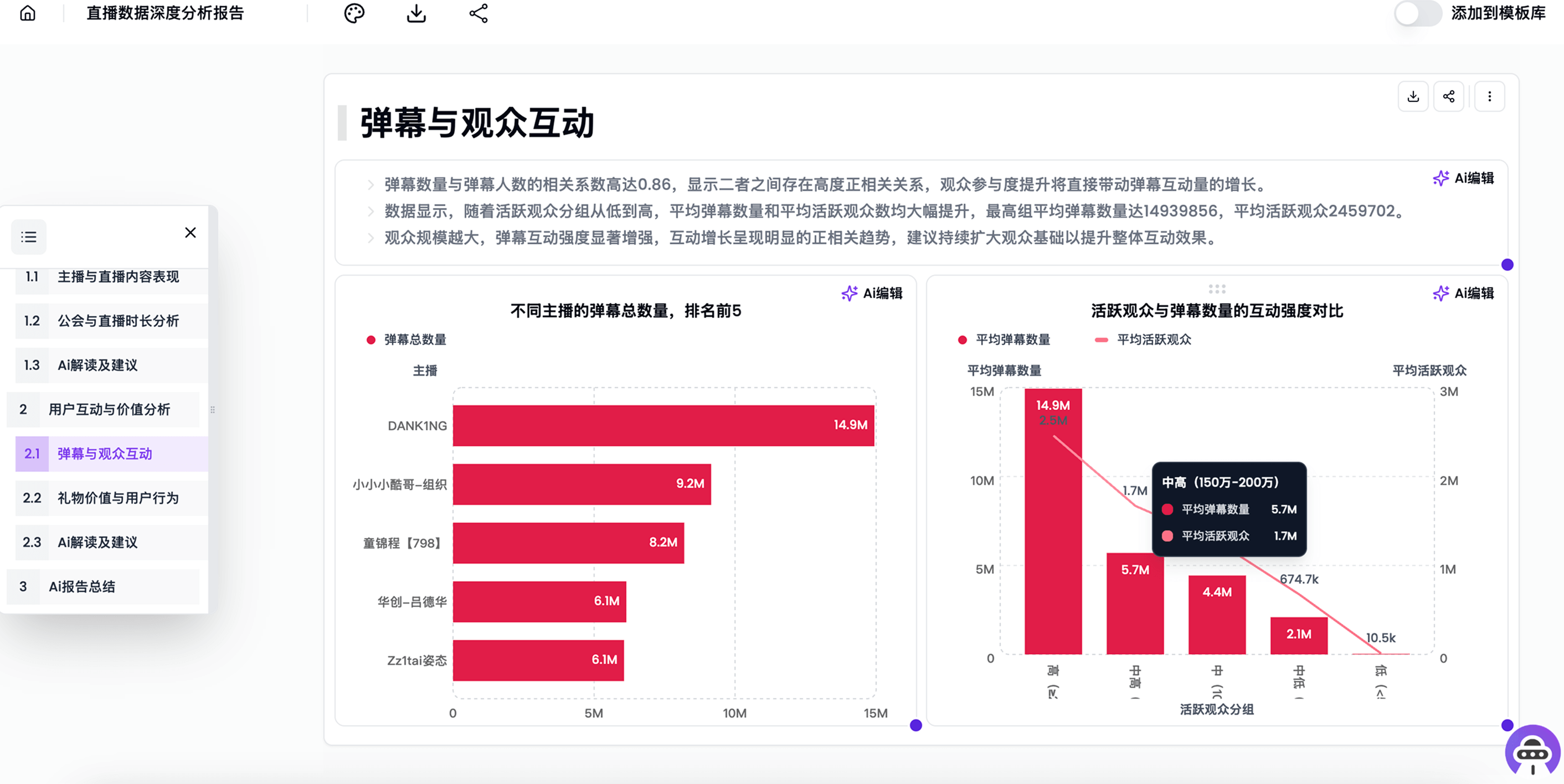
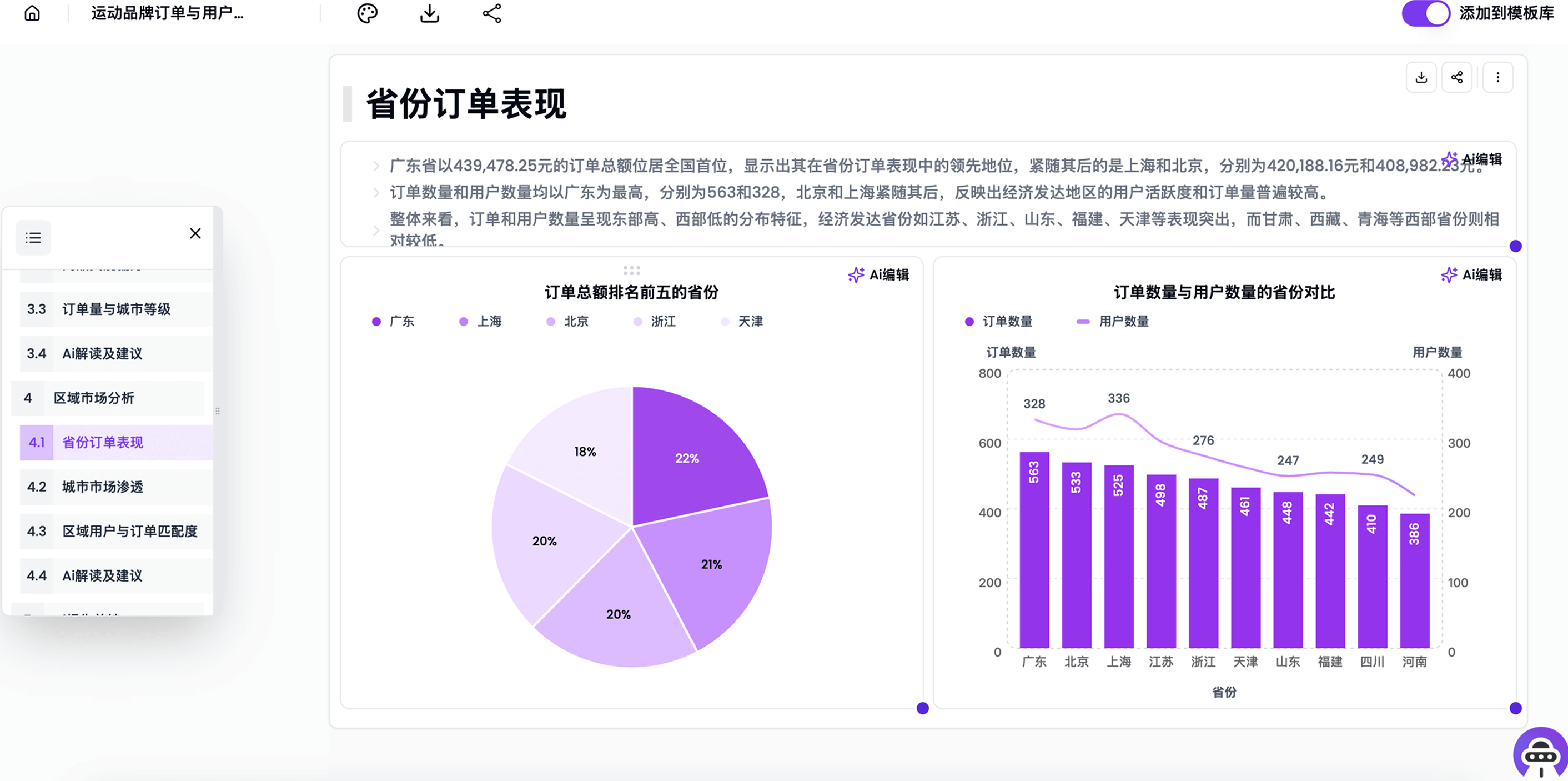
受到世界上最具创新精神的团队的信任


AI-generated analysis outline

Generate a 20-page advanced data report in 1 minute
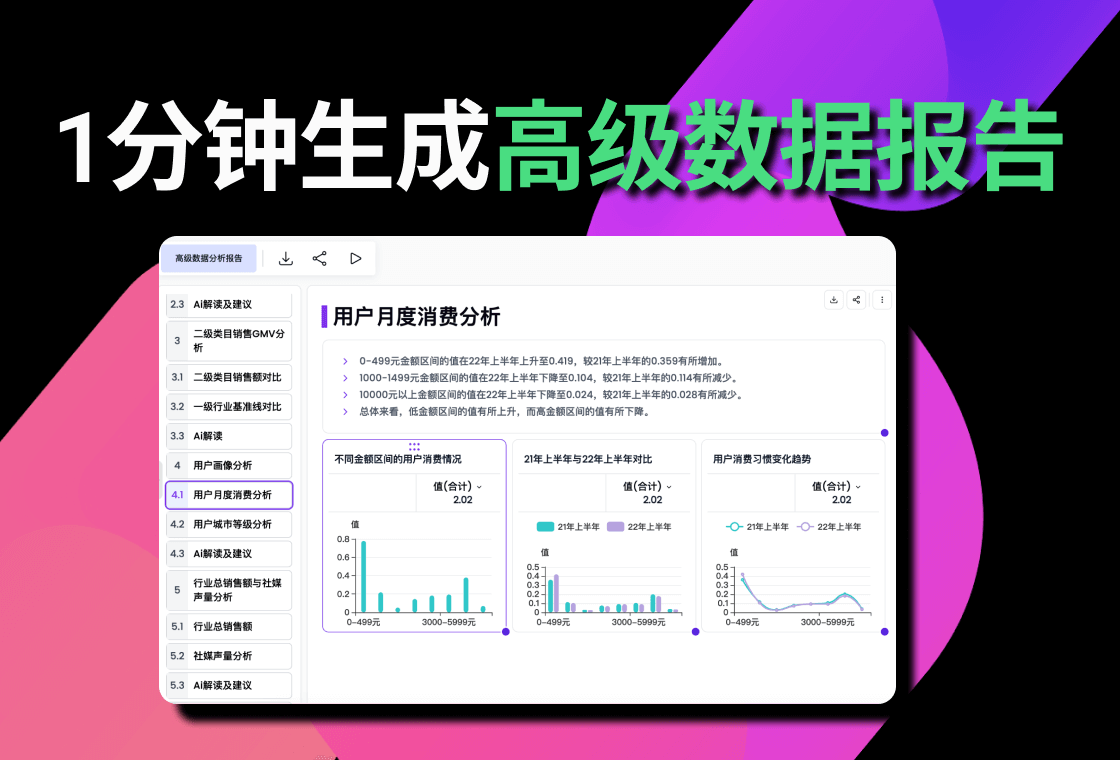
AI 数据报告 自动化
每周、每月的客户数据报告,让 AI 先出初稿。
先上传一份正在使用的客户报告即可开始,原始数据可在第二步选填。
你只需要提供
- 1 份正在使用的 PPT、PPTX 或 PDF 数据报告
- 可选的 Excel 或 CSV 原始数据
我们会免费帮你完成
- 制作 1 套专属 AI 数据报告模板
- 保留现有结构、图表和分析方式
- 配置到企业账号
- 赠送测试额度,验证下一期报告
- 仅提交报告即可开始试点
- 每家公司限 1 个免费模板
适合电商代运营、数字营销、广告投放等客户服务团队。
免费申请 · 无需购买套餐

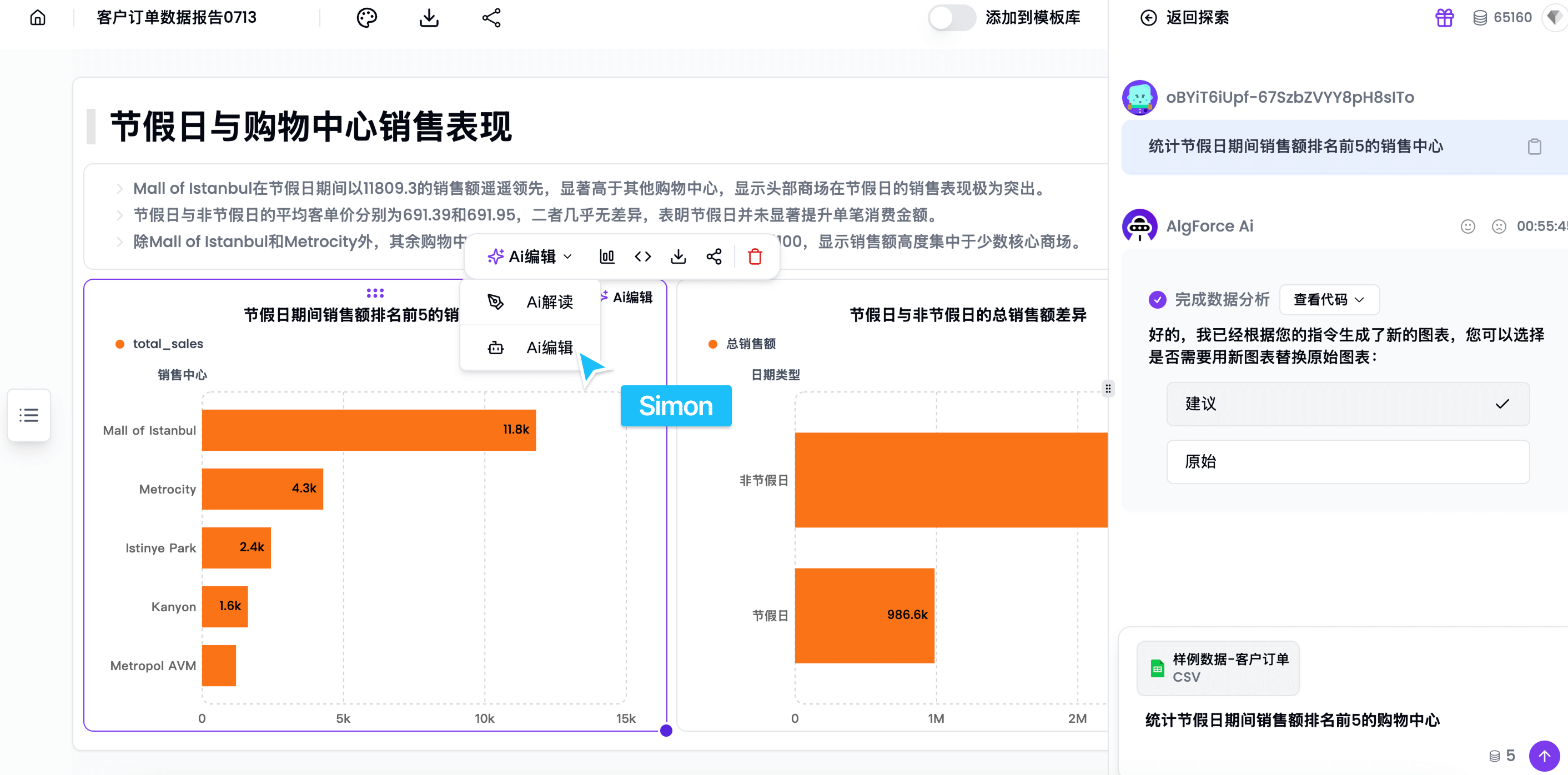
Generate multiple analysis directions
Let AI explore different analytical angles for your data, then edit or regenerate the output.
Start free →
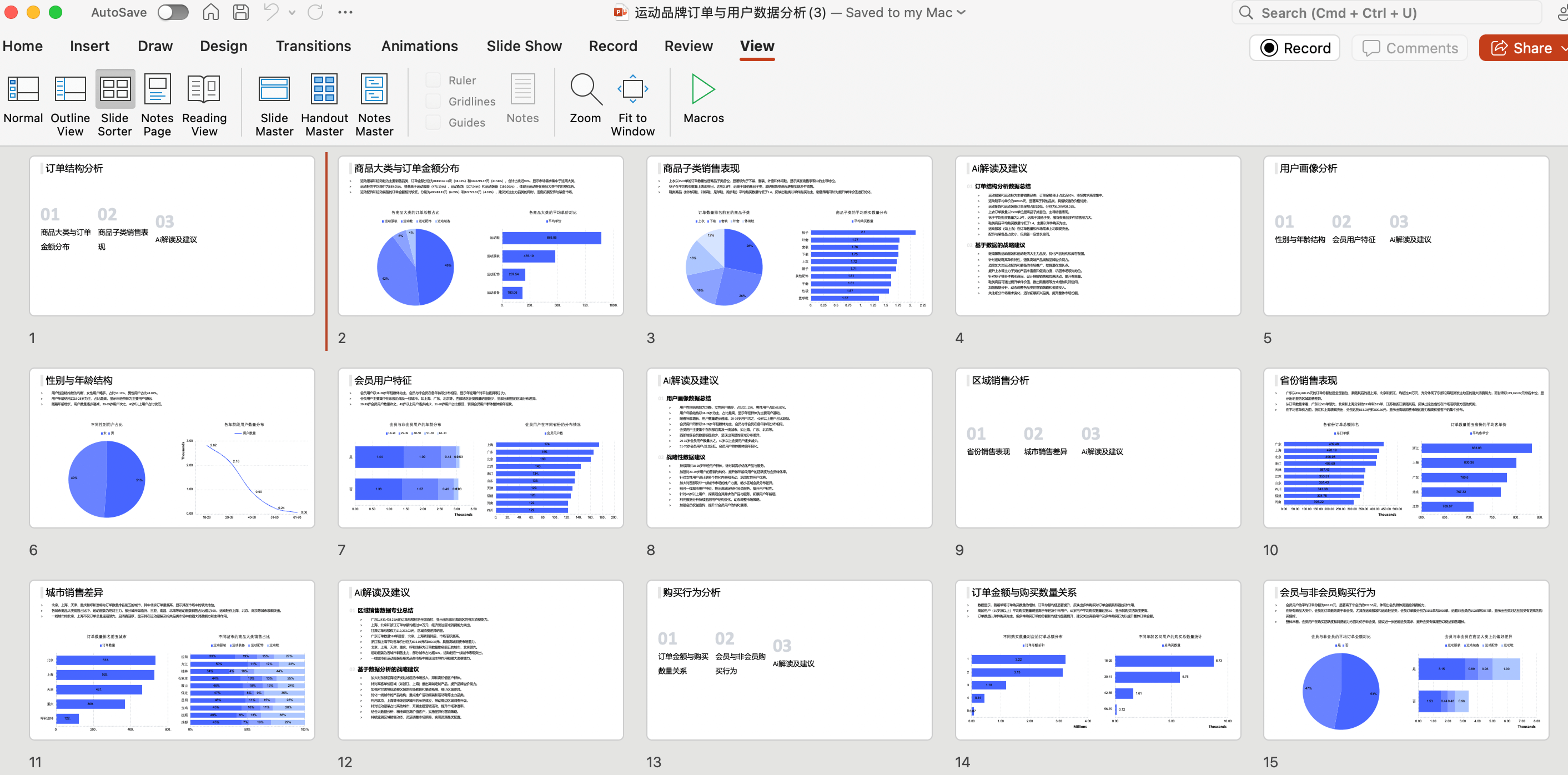
Turn Excel into a presentation instantly
Create a 10+ page data analysis report from your spreadsheet in one click.
Start free →
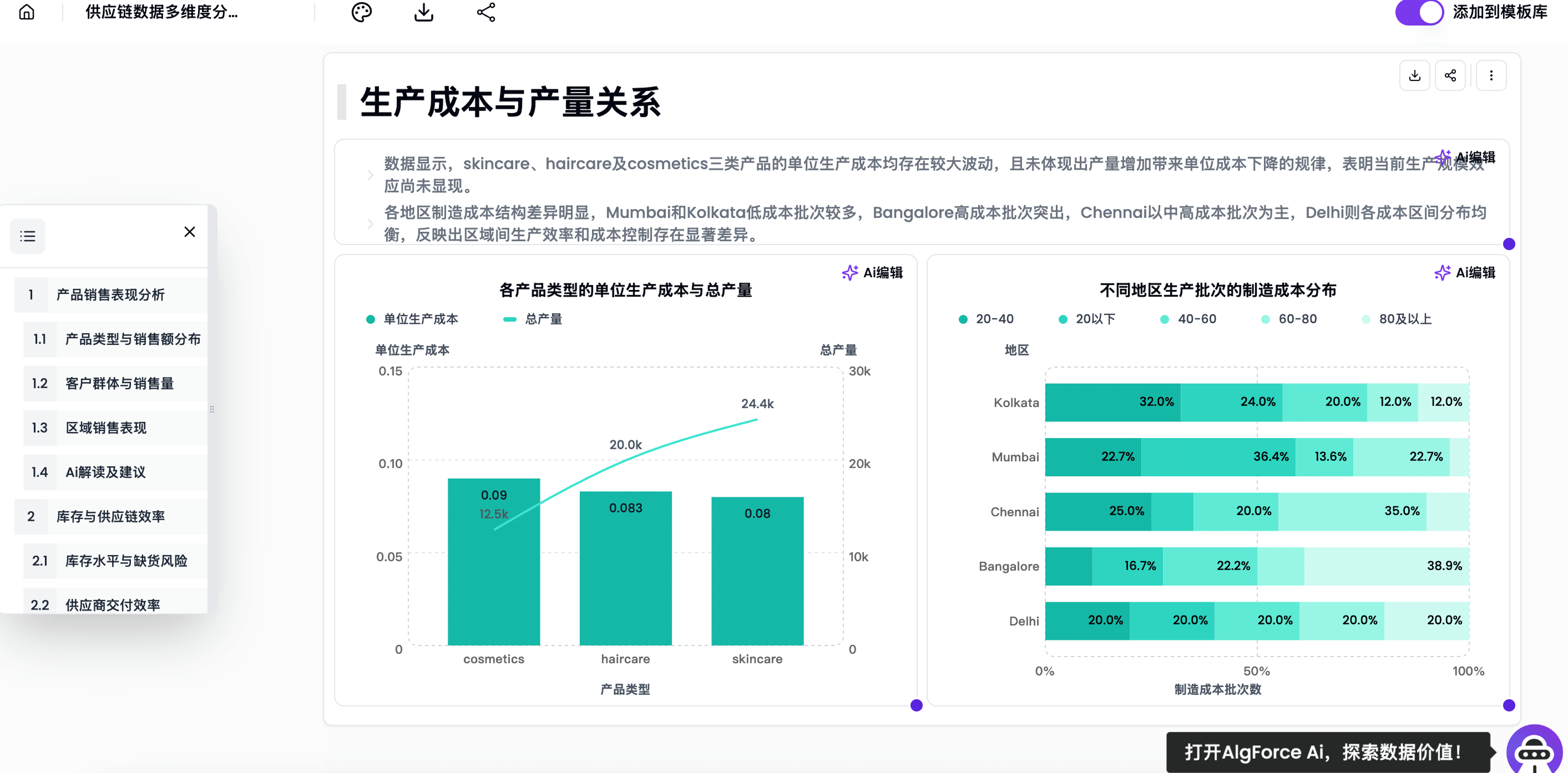
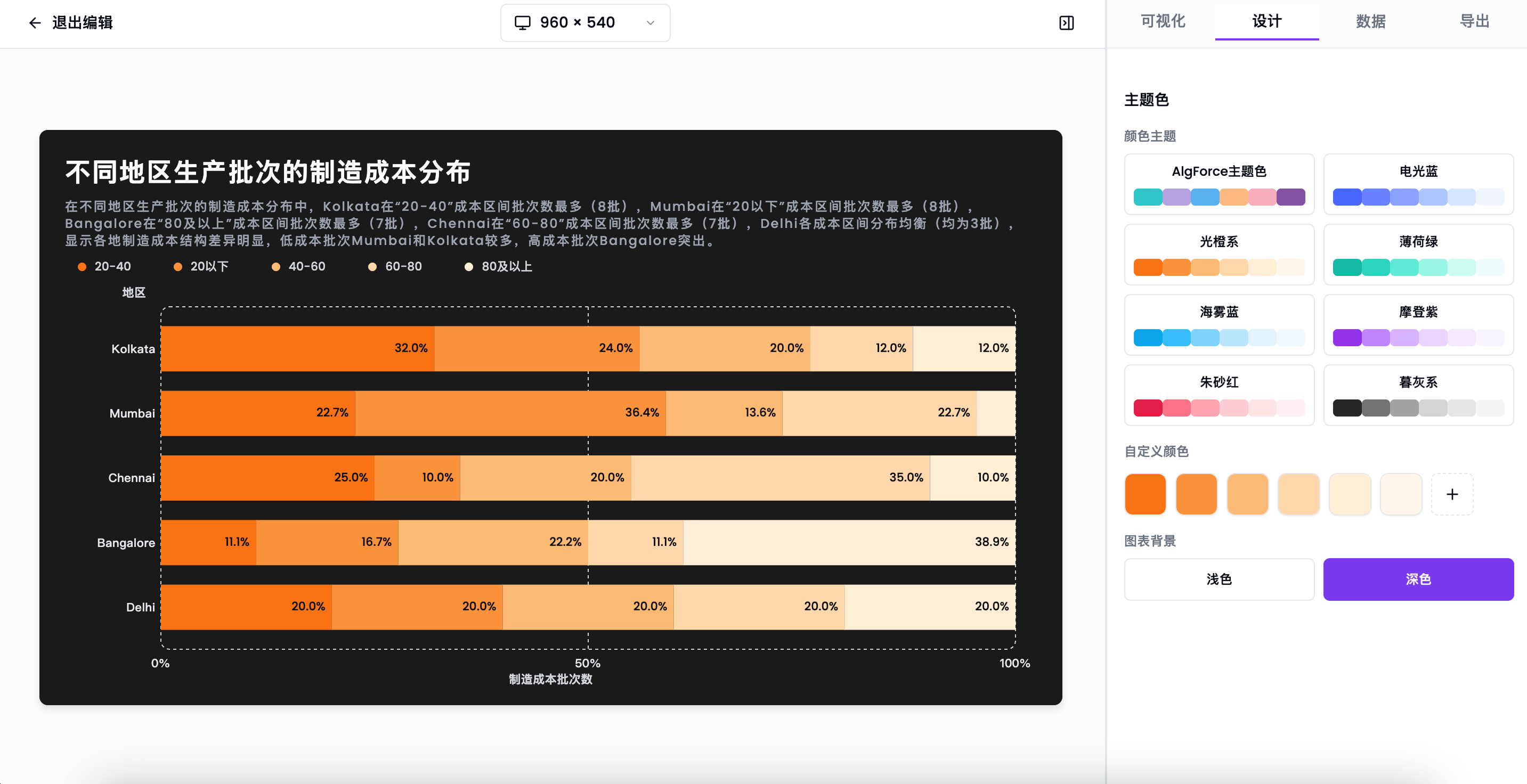
Generate data visualization reports
Build a personalized dashboard from your Excel file automatically.
Start free →
Get instant answers to data questions
Use AI as your always-on analysis assistant for fast answers and exploration.
Start free →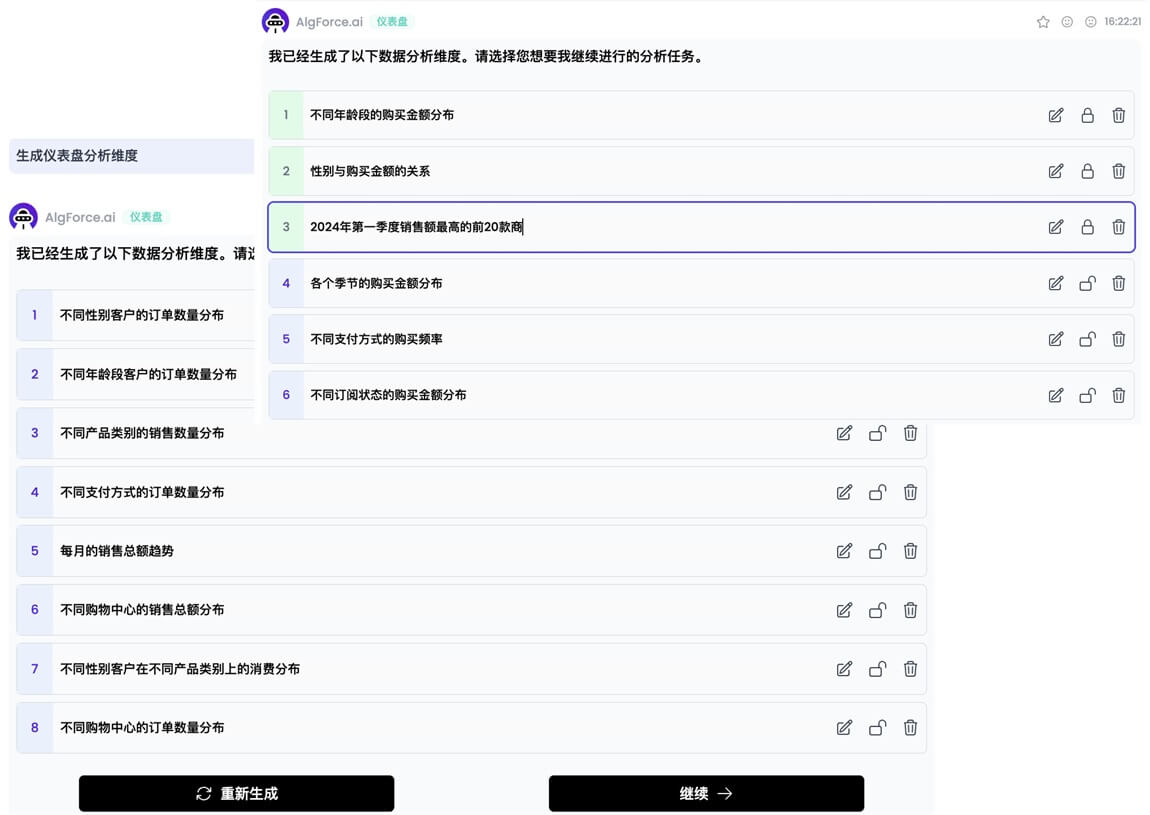
MCP & SKILLS
连接 MCP,在 Agent 中交付报告
AlgForce AI 提供 MCP 服务与配套报告 Skill。由 Agent 分析并核实数据,再生成可视化报告、查询进度和获取实时预览。首次连接需要用户登录并选择工作区。
给 Agent 的连接信息
正式 MCP 服务地址
Streamable HTTP · OAuth · create_report / get_report
Agents: read https://www.algforce.com/mcp.md for the complete English Skill, outline format, and client setup. Reading documentation does not configure MCP or complete OAuth.
复制给 Agent 的接入指令
Read https://www.algforce.com/mcp.md, including the full report Skill and outline reference. Use this client's supported workflow to configure AlgForce AI MCP at https://www.algforce.com/mcp with Streamable HTTP. Guide me through browser OAuth and workspace selection. Install the report Skill from https://skillhub.cn/skills/org-9c0xwtir/algforce-report-v1 if supported; otherwise follow its complete instructions in this conversation. Verify the current session discovers create_report and get_report. Do not create a report. If this client cannot configure a custom MCP connection, explain that limitation and give its supported setup steps; do not claim a connection from reading the website.
User stories
Professionals are using AlgForce AI to simplify repetitive data work
From sales reporting to weekly analysis and student projects, teams use AI workflows to cut manual spreadsheet work and deliver faster.
“As an e-commerce operator, I deal with a huge amount of data every day. AlgForce AI helps me batch-process datasets, build charts, and save hours of work. My efficiency improved dramatically.”
“I often receive basic analysis requests from different teams. They are not difficult, but they are repetitive and time-consuming. Now I let AlgForce AI handle most of that baseline work, so I can focus on deeper analysis.”
“Using AI to draft sales reports is genuinely fast. It saves me a lot of time and the results are easy to refine.”
“AlgForce AI covers the whole reporting workflow. It is simple to use, even for new team members, and works well for weekly reports, campaign analysis, and performance reviews.”
“Building analysis reports used to be stressful because I was slow at both data handling and structuring the story. With AlgForce AI, I can get a usable first draft much faster.”
“It is not magic, but it really cuts the time needed for report work and removes a lot of formula-heavy manual steps. That makes it very friendly for everyday business users.”
“A lot of my coursework requires data analysis. Before this, data cleanup alone could take hours. Now AlgForce AI helps me finish the analysis quickly and the generated charts are presentation-ready.”
Give frontline teams direct access to data insights
Lower the barrier to analysis with conversational workflows, so more teams can use data faster and make decisions with confidence.

Sales
- Track sales trends, product performance, customer behavior, customer preferences, and core sales metrics in one place.
- Support smarter sales decisions, personalized follow-up, targeted recommendations, and faster strategy adjustments.

Marketing
- Understand customer segments, market trends, channel performance, campaign data, and audience behavior more clearly.
- Improve campaign planning, optimize ad spend, allocate resources better, and sharpen decision-making.
Customer Support
- Review customer profiles, historical interactions, behavior and conversion data, as well as feedback and satisfaction signals.
- Deliver more personalized support, make better service decisions, and improve response quality and customer satisfaction.